Free Location QR Code Generator
Create a QR code that opens a location in Google Maps or Apple Maps. One scan for directions. Free, no signup.
What Is a Location QR Code?
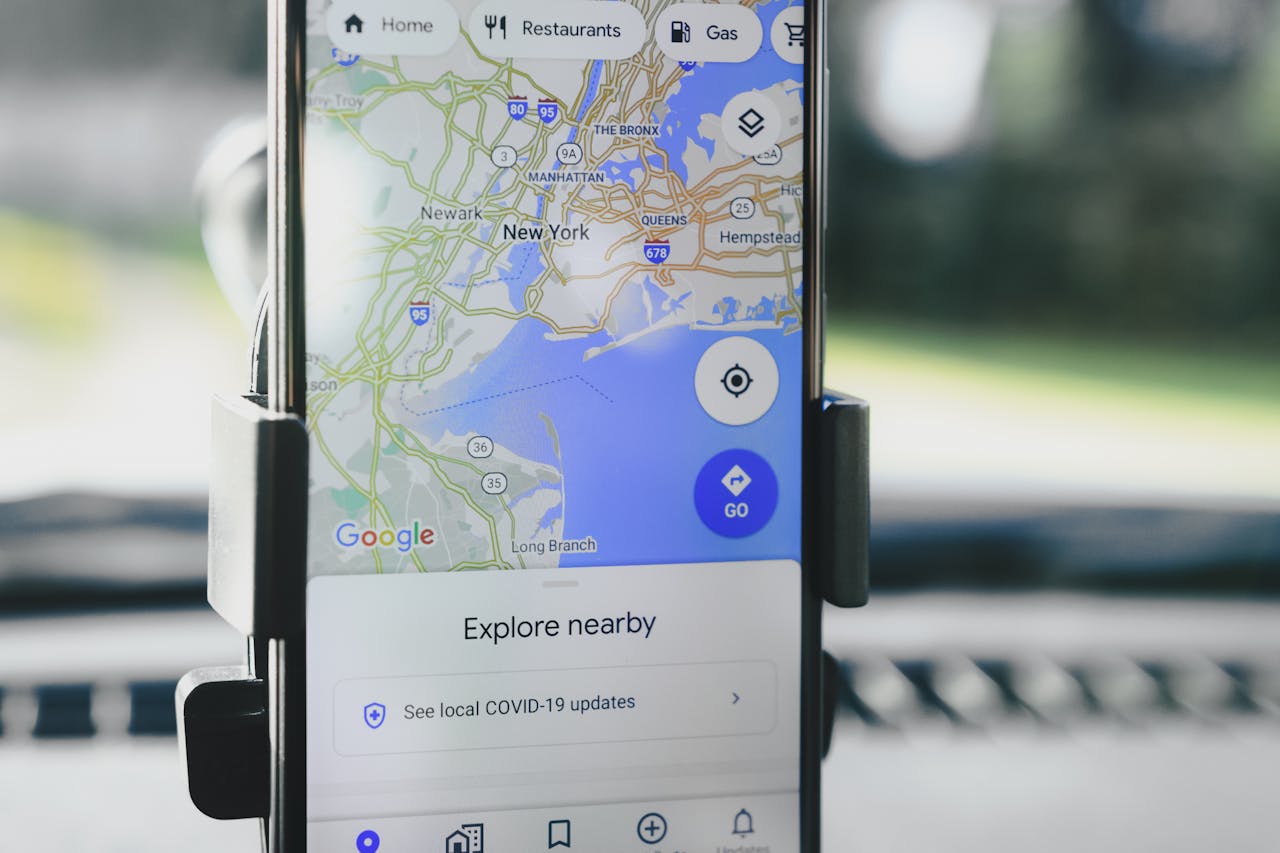
A location QR code encodes geographic coordinates (latitude and longitude) using the standard geo: URI format. When someone scans it, their phone opens the default maps app with the exact location pinned — ready for turn-by-turn navigation.
No typing addresses. No searching through maps. Just scan and go.
How Location QR Codes Work
Location QR codes use one of two formats:
- Geo URI:
geo:48.8566,2.3522— the universal standard. Opens the default maps app (Google Maps on Android, Apple Maps on iPhone). Works everywhere. - Google Maps URL:
https://maps.google.com/?q=48.8566,2.3522— opens specifically in Google Maps. Works on all devices but may prompt to install the app.
The geo URI format is recommended because it works with whatever maps app the user prefers.
How to Find Your Coordinates
From Google Maps:
- Open Google Maps and find your location
- Right-click (desktop) or long-press (mobile) on the exact spot
- The coordinates appear — click to copy them
- Format:
48.856614, 2.352222
From your phone:
- Open Maps and drop a pin on the location
- Tap the pin to see the coordinates
- Copy and paste into the QR code designer
How to Create a Location QR Code
- Open the QR code designer and select Location as the content type
- Enter the coordinates (latitude, longitude) or paste a Google Maps URL
- Pick a style that suits the placement — outdoor signage benefits from high-contrast, bold designs
- Download as SVG (for print) or PNG (for digital)
- Place on invitations, business cards, signage, or event materials
Where to Use a Location QR Code
- Wedding and event invitations — guests scan to get directions to the venue. No more “where exactly is it?” messages.
- Real estate flyers and open house signs — link to the property location on the map. Prospects get directions for the viewing without typing the address.
- Store signage — “Find us” signs with a QR code for instant navigation. Multi-location businesses can print codes for each branch.
- Tourism and wayfinding — trail markers, city tour stops, historic sites, and tourist attractions. Visitors scan for directions at each point of interest.
- Delivery and logistics — include a QR code with the exact drop-off location on delivery instructions, shipping labels, or warehouse maps.
- Construction and job sites — directions to hard-to-find locations that may not have a proper street address yet.
Location QR Code vs. Address Text
Why not just print the address? A QR code is better because:
- One tap to navigate. An address requires opening a maps app, typing it in, and hoping autocomplete gets it right. A QR code is instant.
- Works for places without addresses. Park entrances, trailheads, beach access points, event fields — many locations do not have a street address. Coordinates are precise.
- No language barriers. Coordinates are universal. An address in Japanese or Arabic may not be typeable for international visitors. A QR code works regardless.
geo: Links vs. Google Maps URLs
Our generator supports two formats for encoding a location. Each has tradeoffs.
geo: links
Format: geo:48.8566,2.3522
- Universal standard — opens whatever maps app the user has installed (Google Maps, Apple Maps, Waze, OsmAnd)
- Shorter URL produces a simpler, easier-to-scan QR code
- No dependency on Google
- Downside: no label or business name attached — just a pin on bare coordinates
Google Maps URLs
Format: https://maps.google.com/maps?q=...
- Can include a business name or search query
- Shows the full Google Maps listing with reviews, opening hours, and photos
- Longer URL produces a denser QR code
- Depends on Google’s URL structure remaining stable
When to use which
Use geo: for pure navigation — event venues, parking entrances, trailheads, field locations. The URL is shorter and works with any maps app.
Use a Google Maps URL when you want the business listing — your restaurant, shop, or office. Scanners see your reviews, photos, and hours instead of just a pin.
Rule of thumb: if your location has a Google Maps listing, the Google URL is better because it shows your brand. For locations without a listing (a park, a specific entrance, a construction site), geo: is the way to go.
Tips for Better Location QR Codes
Pin the exact spot. Do not just use the building address — pin the entrance, the parking lot, or the specific meeting point. The difference between “the building” and “the entrance on the south side” saves confusion.
Add context near the QR code. “Scan for directions” with the venue name. People want to know where they are going before they scan.
Test the coordinates. Scan your QR code and verify the pin is in the right place. A swapped latitude/longitude puts you on the other side of the world.
Include the address too. A QR code is faster, but printing the written address alongside it serves as a fallback for people who prefer typing or cannot scan.
Found this useful?
Share it with someone who needs it.
Frequently Asked Questions
?
What is a location QR code?
A QR code that encodes geographic coordinates or a map URL. Scanning opens the default maps app with the location pinned and ready for navigation.
?
Is this location QR code generator free?
Yes, completely free. Latitude, longitude, and an optional label are all encoded. No signup, no watermark, no limits.
?
Do location QR codes expire?
No. Geographic coordinates are permanent — they never change. Your QR code will point to the exact same spot forever, regardless of whether the building or business at that location changes names.
?
Which maps apps are supported?
Google Maps, Apple Maps, and any app that handles geo: links or Google Maps URLs. Works on all smartphones.
?
Can I use a Google Maps URL instead of coordinates?
Yes. Paste a Google Maps share link directly. It works, though a geo: link is more universal across map apps.
?
Does it work on both iPhone and Android?
Yes. iPhones open Apple Maps by default (or Google Maps if installed). Android opens Google Maps.
Ready to Create Your QR Code?
60+ artistic styles, free SVG export, no signup needed.
Create Your QR Code →