Free Email QR Code Generator
Create a QR code that opens a pre-filled email. Recipient, subject, and body — one scan. Free, no signup.

What Is an Email QR Code?
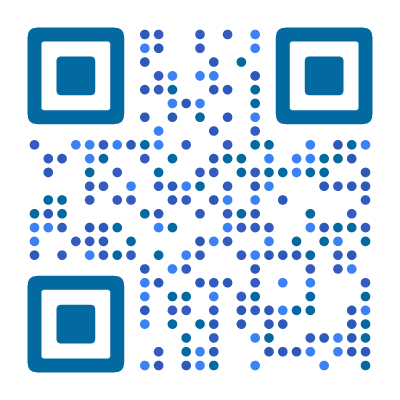
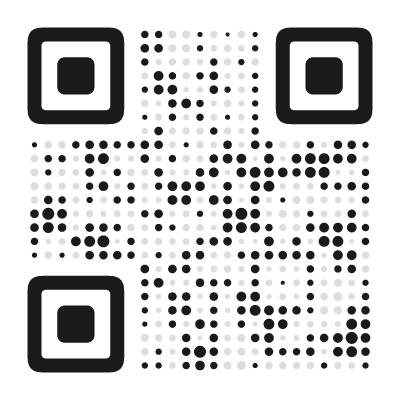
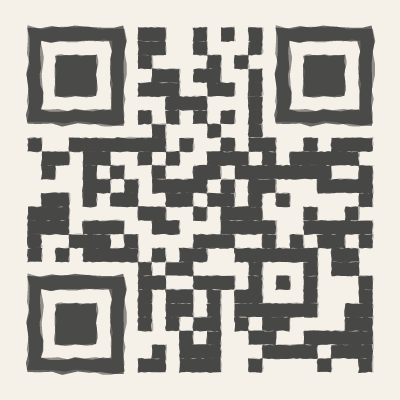
An email QR code uses the standard mailto: format to encode a recipient address, subject line, and body text into a scannable pattern. When someone scans it, their phone opens the default email app with everything pre-filled — ready to send with one tap.
This is not about sending emails automatically. The user still has full control — they see the draft, can edit it, and choose whether to send. The QR code just removes the friction of typing an email address and writing a subject line from scratch.
How to Create an Email QR Code
- Open the QR code designer and select Email as the content type
- Enter the recipient email address (e.g.
support@yourcompany.com) - Add a pre-filled subject line (e.g. “Support request”) and optional body text
- Style the code to match your correspondence branding — subtle, professional designs scan well on letterhead
- Download as SVG (for print) or PNG (for digital)
The subject and body act as helpful defaults. The sender can edit everything before hitting send.
Where to Use an Email QR Code
Email QR codes work best when you want to lower the barrier between “I should contact them” and actually doing it:
- Support desks and help centers — “Email our support team” QR at service counters. Pre-fill the subject with a location or department for faster routing.
- Feedback stations — “Send us your feedback” QR in stores, hotel lobbies, clinics, or office kitchens. Lower friction than a paper form or finding an email address on a website.
- Invoice and billing inserts — QR on printed invoices for “Email us about this invoice.” Pre-fill the subject with the invoice number so replies land in the right queue.
- Print ads and brochures — “Email for a quote” on flyers and catalogs. Pre-fill the subject with the campaign name for tracking.
- Event registration materials — “Email to register” QR on conference flyers, workshop posters, or community event boards.
- Job listing boards — “Email your application” QR on recruitment posters or office lobby displays.
mailto: Format Reference
Email QR codes encode a mailto: URL. Here is how the format works:
Basic — recipient only:
mailto:support@example.comWith subject:
mailto:support@example.com?subject=Support%20RequestWith subject and body:
mailto:support@example.com?subject=Support%20Request&body=Hi%2C%20I%20need%20help%20with...With CC and BCC:
mailto:support@example.com?cc=manager@example.com&bcc=archive@example.comSpaces and special characters must be URL-encoded (%20 for space, %0A for newline, %2C for comma). Our QR code designer handles this encoding automatically — just type normally in the input fields.
Keep the body text short. Every character increases the QR code density, making the pattern harder to scan. A subject line plus one sentence is ideal. If you need more than that, consider linking to a contact form instead.
Email QR Code vs. Contact Form vs. vCard
Each approach serves a different purpose:
- Email QR code — opens the user’s own email app. Best for one-off contact, feedback, and support requests. The sender has a copy in their sent folder.
- Contact form — collects data on your server. Better for structured inquiries where you need specific fields (name, order number, category).
- vCard QR code — saves your contact details to the phone. Better for networking where you want to be in someone’s contacts long-term.
For “email us about this” scenarios, the email QR code is the simplest option.
Tips for Better Email QR Codes
Write a useful subject line. A pre-filled subject like “Support request — Store #42” helps both the sender and your team. Generic subjects like “Hello” get lost in inboxes.
Keep the body short. A brief prompt like “Please describe your issue:” is enough. Long body text makes the QR code denser and harder to scan.
Use a monitored inbox. Point the QR code to an email address someone actually checks. A support@ or hello@ alias is better than a personal email that might go unread during vacations.
Test the scan. Make sure the email opens correctly on both iPhone and Android. Check that special characters in the subject line display properly.
Found this useful?
Share it with someone who needs it.
Frequently Asked Questions
?
What is an email QR code?
A QR code that opens the user's email app with a pre-filled recipient address, subject line, and optional body text. One scan and the email is ready to send.
?
Is this email QR code generator free?
Yes, completely free. Subject lines, body text, CC, and BCC fields are all supported — no signup, no watermark, no limits.
?
Do email QR codes expire?
No. The mailto: link is embedded directly in the QR pattern. It works as long as the email address is active. Pre-filled subject and body text are preserved permanently.
?
Can I pre-fill the subject and body?
Yes. You can set a default subject line and body text. The sender can still edit both before sending.
?
Which email apps are supported?
All of them. The QR code uses the standard mailto: format, which works with Gmail, Outlook, Apple Mail, and any email client on any device.
?
Does it work on both iPhone and Android?
Yes. Both platforms open the default mail app (Apple Mail, Gmail, Outlook, etc.) with all pre-filled fields ready. The user just taps Send. Works with any email client the user has configured.
Ready to Create Your QR Code?
60+ artistic styles, free SVG export, no signup needed.
Create Your QR Code →