Free Halftone & Dithered QR Code Generator
Turn a photo into a scannable QR code — a true 1-bit dither, not a filter over a plain code. Free halftone QR code generator. No signup, no watermark.
What Is a Halftone QR Code?
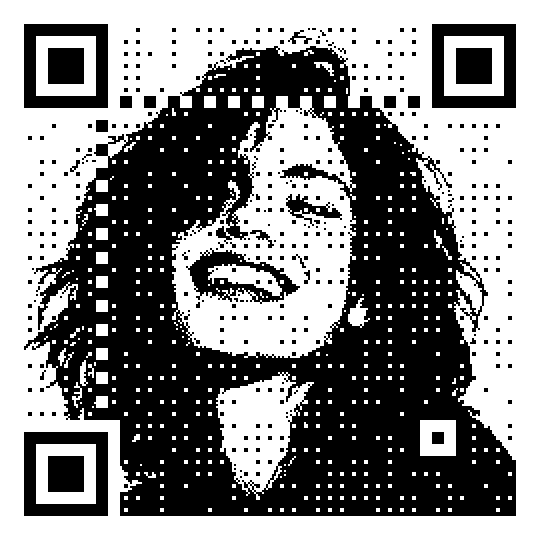
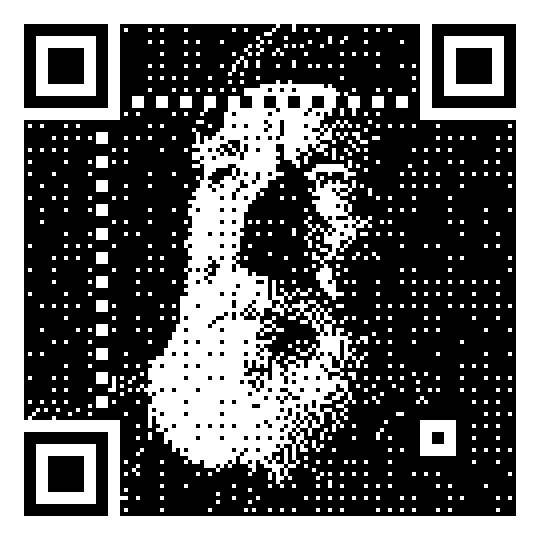
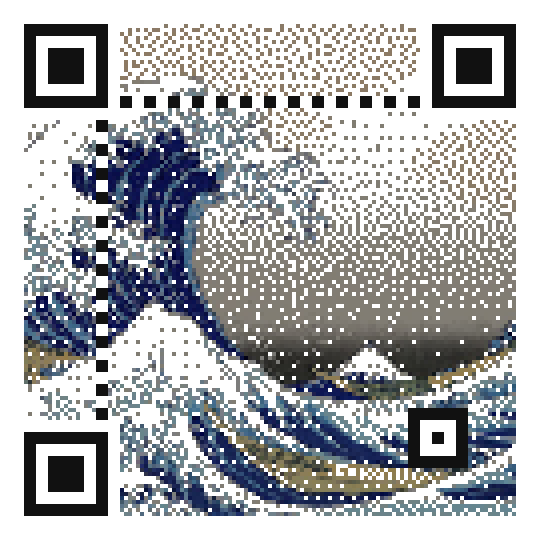
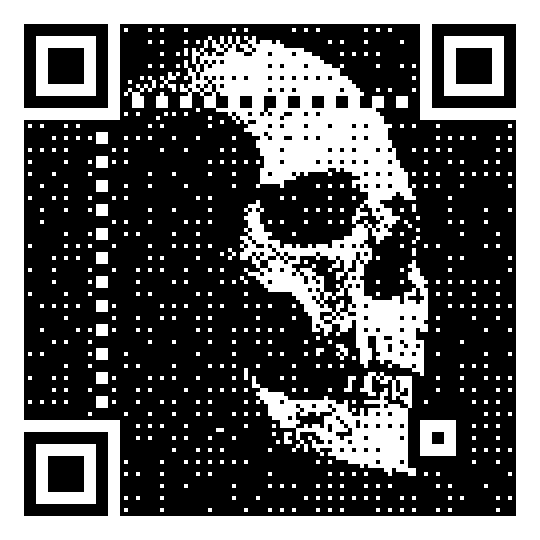
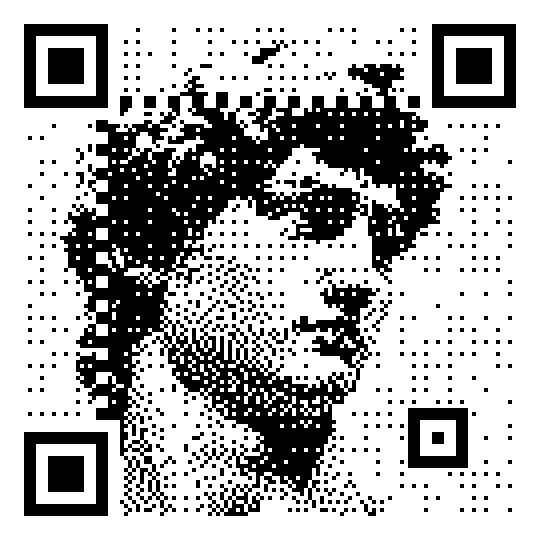
A halftone QR code is a photo that is the QR code. Instead of printing a picture next to a plain black-and-white square, the image itself is redrawn as the code — the same cells that carry the data also draw the subject. Scan it and it reads as data; look at it and you see a face, a wave, a skull.
This is the difference from a transparent QR code, which lays a code on top of a photo. Here there is no overlay: the photo becomes the pattern, dithered down to crisp black-and-white cells.
How It Works
- Enter your content. A URL, text, a phone number — whatever the code should encode.
- Switch to Dithered mode. The designer opens the image step.
- Upload a photo — or pick one of the built-in samples to see the effect instantly.
- Tune the tone. Adjust contrast and brightness until the subject separates cleanly from its background.
- Choose the look. Keep it monochrome in black or any QR color, switch to grayscale, or let each cell take the photo’s own color. Turn on higher resolution for finer detail.
- Download. Export as SVG or PNG. The dithering runs entirely in your browser, so your photo is never uploaded anywhere.
The live preview updates in real time, and a scannability indicator warns you before you download a code that is too busy to read.
The Controls That Keep It Scannable
A photo is a tough canvas for a QR code — its fine detail competes with the data cells. These controls keep the two in balance:
Contrast. Pivoting around the image’s average brightness, it pushes the subject’s tones apart so shapes land cleanly on one side of the dither threshold. It is the single biggest quality lever — this is where a flat photo becomes a readable one.
Brightness. A tone offset applied after contrast. Darkening a light image (a bright sky, a pale wave) pushes its shapes past the threshold so they actually appear in the code instead of washing out.
Color mode. Monochrome (the default, in black or any QR color), grayscale, or image colors, where each cell takes the photo’s own color. Every mode keeps solid on/off cells — never the soft dots of a print halftone — so the code stays crisp and scannable.
Higher resolution. Renders the picture with more, smaller sub-cells per module for a finer, more recognizable subject, without changing the amount of data the code holds.
Scannability. Reinforces the code only in flat, even areas such as a plain background, which scan worst and carry the least detail, so the subject itself stays untouched. Turn it up to harden a code for tough conditions without erasing the picture.
Error correction. Dithered codes are locked to H (30%), the highest level — the redundancy budget is what lets the image bend the cells while the code still reads.
Bold, standard finders. The three corner squares stay crisp and distinct so a scanner can always locate the code, with optional clean timing lines and alignment boxes for extra reliability.
Why It Still Scans
A scanner doesn’t read every pixel — it samples each module near its center. Dithered mode forces just that center point to the module’s real value and lets the surrounding sub-cells carry the picture. The data lives at the read points; the image fills the space between them. That is why a photo can bend the pattern without breaking it — and why more, smaller sub-cells (the higher resolution option) sharpen the picture without costing the code any data.
Which Images Work Best
The mode rewards simple, high-contrast, close-up subjects:
- Faces and portraits — a single well-lit face is the sweet spot.
- Logos and silhouettes — bold shapes with clear edges.
- Bold graphics — a skull, an animal, an icon.
- Iconic artwork — high-contrast paintings and prints.
Busy scenes — a crowded street, a detailed landscape — turn into abstract texture rather than a recognizable picture. If an image looks muddy, crop tighter to one subject and raise the contrast.
Halftone or Dither?
Both names get used for this look, so here is the honest version. A print halftone is made of gray dots of varying size. This mode is a Floyd–Steinberg dither: solid black-and-white cells, no gray, no dots. We use “halftone” because it is the word people search for the photo-as-code effect — but the crisp 1-bit render is a dither, and that crispness is exactly what keeps the code scannable where soft gray dots would not.
Don’t confuse it with the Dither module style in the style gallery, either: that gives a normal QR code a retro screen look — it doesn’t turn your photo into the code. This is the dedicated photo mode.
Use Cases
Posters and album art. A dithered portrait or artwork that doubles as the scan target — the visual is the call to action.
Editorial and print. Magazine and zine layouts where a stark black-and-white code fits the design language instead of interrupting it.
Merch and packaging. A bold graphic code on a shirt, sticker, or label that people actually want to look at.
Business cards. Your headshot rendered as the code — memorable, and unmistakably yours.
Social media. Instagram and TikTok posts where a photo-as-code stops the scroll and still scans off a screen.
Events and art shows. A piece of the artwork rendered as the link to tickets, a portfolio, or more of the work.
Tips
- Print it bigger than a plain code. This is the one that catches people out. The picture is carried in the fine detail, so shrink a dithered code to the size you would use for a plain one and the cells stop resolving — it may still scan on your phone and fail on someone else’s. Give it around 4 cm or more, and more again for a detailed image.
- Crop tight to one subject. A single face or object reads far better than a full scene.
- Darken bright images. Use negative brightness to pull a pale sky or light background into the code.
- Shorten the URL. Less data means fewer, larger cells — easier to scan and roomier for the picture.
- Test on a real phone. Scan the on-screen preview before you export; the scannability indicator is a guide, not a guarantee.
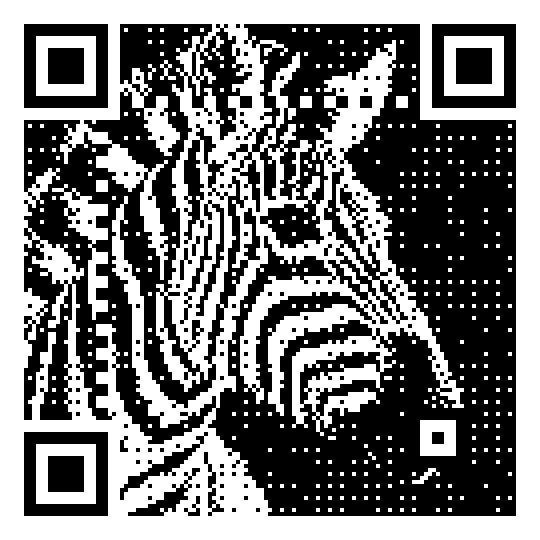
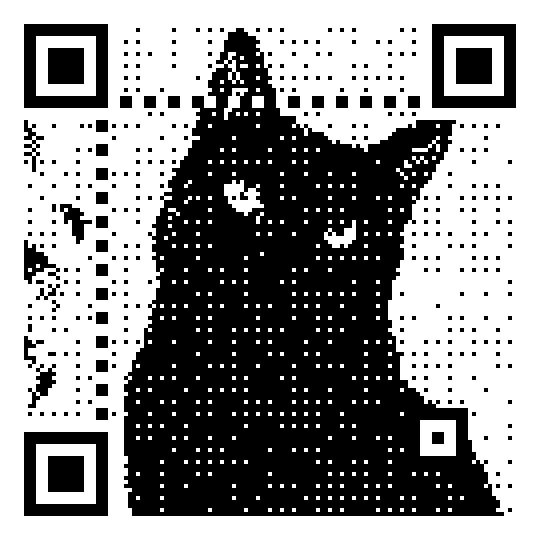
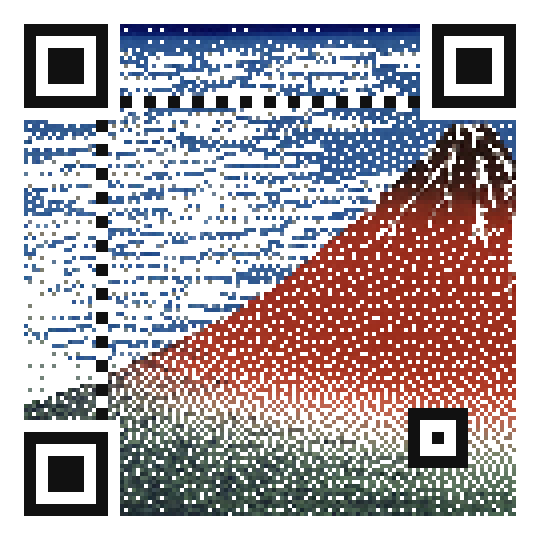
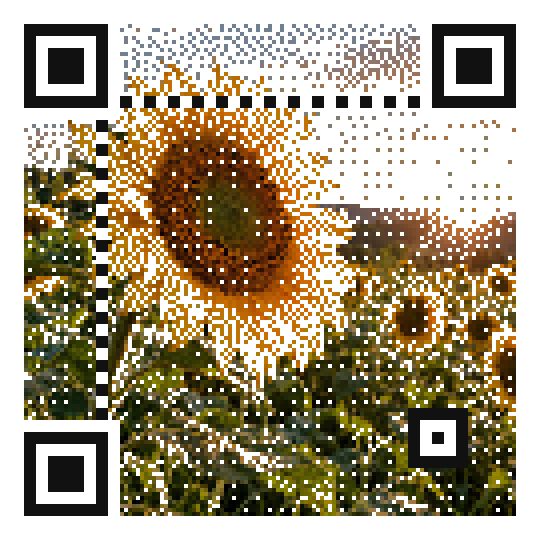
Play with crop and contrast in the live preview — the best dithered codes come from one bold subject, cropped close, with enough contrast to survive the threshold.
Found this useful?
Share it with someone who needs it.
Frequently Asked Questions
?
Is the halftone QR code generator free?
Yes, completely free. Dithered mode, photo upload, and every setting are available without signup, payment, or a watermark. Unlimited downloads.
?
Do halftone QR codes actually scan?
Yes, though a photo is a harder target than a plain code — so the mode is built to stay readable. It draws solid black-and-white cells with bold, standard finder corners, forces the data value at each module read point, and fixes error correction at the highest level (H, 30%). The live scannability check flags an image that is too busy before you download, and you should always test the result with a real phone camera.
?
Is this a halftone or a dither?
Technically it is a Floyd–Steinberg dither, not a print halftone. “Halftone QR code” is the name most people search for the photo-as-code look, so we use it — but the render is dithered: solid 1-bit cells rather than gray dots. That crispness is what keeps it scannable.
?
What images work best?
High-contrast, simple, close-up subjects: faces, logos, silhouettes, and bold graphics. A busy scene turns into abstract texture rather than a recognizable picture. When in doubt, crop tight to one subject and raise the contrast.
?
Can I use a halftone QR code in print?
Yes — but print it larger than you would a plain code. The picture lives in the fine detail, so if the cells get too small the scan gets unreliable and some phones will fail on it. Around 4 cm is a sensible floor, more for a detailed image or a long URL. Turn on higher resolution, export as SVG — every cell is a vector shape, so it stays sharp at any size — and test the printed piece before you order a run.
?
Can it be in color?
Yes. Monochrome draws the code in black or any QR color you pick, grayscale shades each cell in a tone of gray, and image colors lets each cell take its color from the photo. In every mode the pattern itself stays a 1-bit dither of crisp, solid cells — never soft or dotted — which is what keeps it scannable.
?
Do halftone QR codes expire?
No. These are static QR codes — the content is encoded directly in the pattern, so they never expire and keep working forever, with no account or subscription.
Ready to Create Your QR Code?
60+ artistic styles, free SVG export, no signup needed.
Create a Dithered QR Code →