
Free vCard QR Code Generator
Create a QR code with your contact details. One scan saves your name, phone, and email to any phone. Free, no signup.

What Is a vCard?
vCard (Virtual Contact File) is an open standard for digital contact cards. Created in the 1990s and now supported by every smartphone, email client, and CRM on the market, it stores structured contact information in a compact text format.
A vCard can include your name, phone numbers, email addresses, company name, job title, website, physical address, and even social media profiles. The format is standardized (currently vCard 3.0 and 4.0), which means any device that scans a vCard QR code knows exactly how to interpret the data.
How vCard QR Codes Work
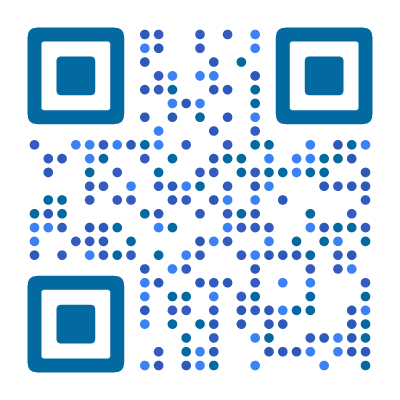
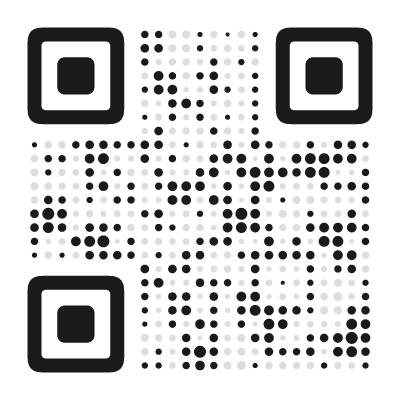
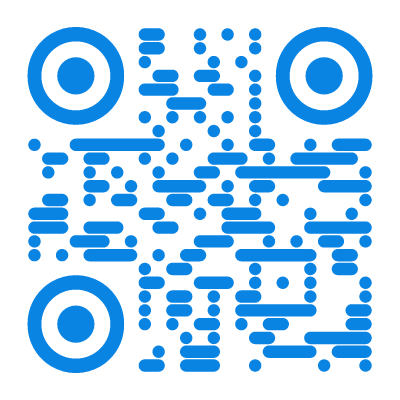
When you create a vCard QR code, your contact details are encoded as structured text inside the QR pattern. The data looks something like this:
BEGIN:VCARD
VERSION:3.0
N:Smith;Jane
FN:Jane Smith
ORG:Acme Corp
TEL:+1-555-123-4567
EMAIL:jane@acme.com
END:VCARD
When someone scans this QR code with their phone camera, the device recognizes the vCard format and offers to save it as a new contact — complete with name, number, email, and company. No typing, no spelling mistakes, no searching through a pile of paper business cards later.
This works natively on iPhone (iOS 11+) and all Android devices. No special app needed — the built-in camera app handles everything.
How to Create a vCard QR Code
- Open the QR code designer and select vCard as the content type
- Enter your name, phone number, and email address
- Add optional details — company, job title, website, address
- Choose a professional design — clean geometric styles work best on business cards where space is tight
- Download as SVG (best for print) or PNG (for digital use)
- Add to your business card, email signature, or name badge
The whole process takes less than a minute. No signup, no watermark.
Where to Use a vCard QR Code
vCard QR codes work anywhere you want to share your contact details without friction:
- Business cards — the classic use case. Print the QR code on the back and your card becomes interactive. One scan saves everything.
- Conference badges and lanyards — networking events move fast. A scannable badge means no fumbling with card exchanges.
- Resumes and portfolios — make it easy for recruiters to save your details after reviewing your work.
- Office door signs and reception desks — visitors scan to save the contact for the person or department they are meeting.
- Trade show booths — display a large QR code on your banner. Attendees scan from a distance without waiting in line.
vCard vs. Linking to a Website
You might wonder: why not just link to your website or LinkedIn profile? Both approaches work, but they serve different purposes:
- vCard QR code — saves your contact info directly to the phone. The recipient has your number and email ready to use, even offline. Best for networking, business cards, and situations where you want to be in someone’s contacts.
- URL QR code — opens a webpage. Better for showcasing a portfolio, company page, or detailed information that doesn’t fit in a contact card.
For most professional networking, a vCard QR code is the stronger choice. People are more likely to call or email you when your details are already saved in their phone.
Tips for Better vCard QR Codes
Keep it concise. Every character you add makes the QR code denser. Include your name, primary phone number, email, and company. Skip the home address unless it is essential — a URL to your website or LinkedIn is more useful and takes fewer bytes.
Use your company logo. Adding a logo to the center of your QR code makes it instantly recognizable and more professional. Our QR code designer automatically adjusts error correction to keep the code scannable with a logo.
Test before printing. Scan your QR code with at least two different phones (iPhone and Android) to confirm the contact saves correctly. Check that special characters in your name or company display properly.
Choose a style that fits your brand. A plain black-and-white QR code works, but a styled code in your brand colors makes a stronger impression. Every style in our QR code designer is guaranteed to remain scannable.
How Much Data Is Too Much?
vCard QR codes embed all contact data directly in the QR pattern. More fields means a denser code, which means harder to scan — especially at small print sizes.
Practical limits:
- Name + phone + email + company + title = no problem
- Add website URL and address = still works, but getting dense
- Add a photo = too much. Photos are binary data that explode the QR size
Rule of thumb: if the QR code has more than roughly 35 × 35 modules, test scanning at the size you plan to print. A QR code on a business card (1.5 cm square) needs to stay under about 250 characters total to scan reliably.
What to prioritize: name, phone, email, company. Add your website if space allows. Skip the physical address unless it is critical — people can look it up.
A note about photos: some vCard generators let you embed a contact photo. Do not do this. The photo is encoded as binary data inside the QR pattern, making the code nearly unscannable. If you need a photo, host it at a URL and include that URL in the vCard instead.
vCard 3.0 vs. 4.0
vCard has two active versions, and the difference matters for compatibility:
- vCard 3.0 — widely supported by all devices: iOS, Android, Windows, every email client. The safer choice for QR codes.
- vCard 4.0 — newer standard with more fields and better structure (e.g., proper support for multiple phone types, social profiles). However, iOS handling can be inconsistent.
Our generator uses vCard 3.0 for maximum compatibility.
For QR codes, the version difference rarely matters in practice. You are encoding basic contact fields — name, phone, email, company — and both versions handle those identically. vCard 4.0 becomes more relevant when sharing .vcf files with photos, social profiles, and custom fields, which is a different use case from QR codes.
Found this useful?
Share it with someone who needs it.
Frequently Asked Questions
?
What is a vCard QR code?
A vCard QR code encodes your contact information — name, phone, email, company, and more. When someone scans it, their phone offers to save your details as a new contact instantly.
?
Is this vCard QR code generator free?
Yes, completely free. Name, phone, email, company, title, address, website, and notes — all fields are included at no cost. No account, no watermark.
?
Do vCard QR codes expire?
No. All contact fields are embedded directly in the QR pattern — it works forever, even without internet. If your details change (new phone, new job), you will need to generate a new code.
?
What information can I include in a vCard QR code?
Name, phone number, email, company, job title, website URL, and physical address. Keep it concise — the more data, the denser the QR code.
?
Does it work on both iPhone and Android?
Yes. iOS 11+ and Android both recognize vCard data natively. Scanning shows a contact card with an "Add to Contacts" button — no extra app needed. iOS may show a preview sheet; Android typically opens the contacts app directly.
?
Can I add a photo to the vCard QR code?
Not recommended for static QR codes. Photos add too much data, making the code dense and harder to scan. Stick to text-based contact details for the best results.
?
What's the difference between vCard and meCard?
vCard is the widely adopted standard supported by all devices. meCard is a simpler format used mainly by older Android phones. We use vCard for maximum compatibility.
Ready to Create Your QR Code?
60+ artistic styles, free SVG export, no signup needed.
Create Your QR Code →