
Free Bulk QR Code Generator — Batch Mode
Generate hundreds of QR codes at once. Same design, different data. Download as ZIP. Free, no signup.
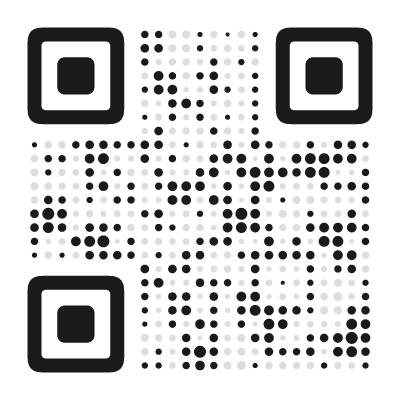
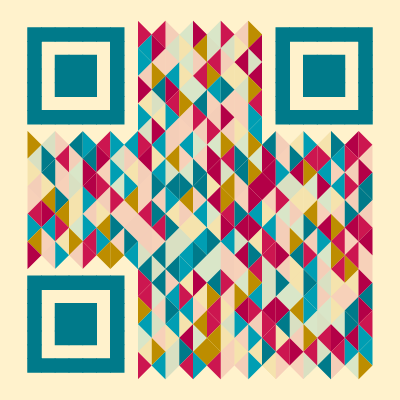
Every QR Code in Your Batch Can Look like This
These are just a few examples — pick any of our 60+ styles for your batch


What Is Batch QR Code Generation?
Batch mode lets you generate dozens or hundreds of QR codes in a single operation. You enter a list of data — URLs, text strings, WiFi credentials, or any other content — and the generator creates one QR code for each entry, all sharing the same visual design.
Instead of creating each QR code individually, adjusting the same style settings over and over, you design once and apply everywhere. The output is a ZIP file containing all your QR codes, ready to use.
This is the feature that turns a QR code designer into a production tool.
How Batch Mode Works
The workflow is straightforward:
-
Enter your data. Paste a list of entries, one per line. Each line becomes one QR code. For URLs, just paste the full links. For other content types, follow the format shown in the input area.
-
Design once. Choose your module style, colors, finder pattern, error correction level, and any other settings. This design applies to every QR code in the batch.
-
Preview. The QR code designer shows a preview using the first entry in your list. Verify the design looks right and that the QR code scans correctly.
-
Generate. Hit the generate button. The browser processes all entries and creates the QR codes locally — nothing is uploaded to any server.
-
Download. A single ZIP file contains all your QR codes, named intelligently based on their content.
The entire process runs in your browser. Your data stays on your device, which matters when you are generating QR codes for sensitive information like internal URLs, employee IDs, or access credentials.
Use Cases for Bulk QR Codes
Inventory and Asset Management
Attach unique QR codes to physical assets — laptops, tools, equipment, furniture. Each QR code links to an internal tracking page or asset management system. Generate all QR codes at once from a spreadsheet export, print them on label sheets, and you have a scannable inventory system.
Product Serial Numbers
Manufacturers and small businesses generating product labels can create unique QR codes for each serial number. Link each QR code to a product registration page, warranty claim form, or authenticity verification URL. Batch mode handles thousands of unique QR codes with consistent branding.
Event Badges and Tickets
Conference organizers can generate personalized QR codes for every attendee — linking to their profile page, check-in system, or networking card. Print the QR codes on name badges or include them in confirmation emails. One batch run replaces hours of manual work.
Employee ID Cards
HR departments can generate QR codes for every employee in one batch. Each QR code might link to a digital business card, internal directory entry, or building access system. The consistent design keeps the corporate look uniform across all cards.
Marketing Campaigns with Unique URLs
Run campaigns where each flyer, postcard, or direct mail piece has a unique tracking URL. This lets you measure response rates per recipient or distribution channel. Prepare the URLs in a spreadsheet, paste them into batch mode, and generate all QR codes in seconds.
Classroom and Education
Teachers creating QR code scavenger hunts, interactive worksheets, or station-based activities can generate all QR codes at once. Each QR code links to a different question, resource, or task. Print them, cut them out, and distribute.
Real Estate Listings
Agencies managing multiple properties can generate QR codes for every listing simultaneously. Each QR code links to the property page. Update the batch whenever new listings are added. Use the same branded style across all yard signs and brochures.
Preparing Your Data
The quality of your batch output depends on well-prepared input data.
One entry per line. Each line in the input field becomes one QR code. Blank lines are ignored. Do not add headers, labels, or extra formatting.
Use complete URLs. Always include the full URL with https://. Do not rely on the generator to add the protocol — partial URLs may not scan correctly on all devices.
Keep URLs short. Shorter data produces simpler QR codes that scan faster and print smaller. If your URLs contain long tracking parameters, run them through a URL shortener before generating the batch.
Check for duplicates. Duplicate entries produce duplicate QR codes. If you are working from a spreadsheet, remove duplicates before pasting.
Export from spreadsheets. Most spreadsheet applications (Excel, Google Sheets) let you copy a single column and paste it directly into the batch input. Select the column with your URLs or data, copy, and paste.
Validate your data. The generator will create a QR code for whatever you give it — including typos. Double-check your list before generating, especially for large batches where a mistake in line 47 is easy to miss.
File Organization
When you download a batch, the ZIP file contains one file per QR code. Files are named based on the encoded content to make identification easy:
- QR codes for URLs use the domain name and path
- QR codes for text use the first few words
- Other content types use identifying fields
For large batches, consider organizing your input data by category or purpose. You can run multiple smaller batches with different file naming patterns to keep things organized in your file system.
Design Consistency Across a Batch
One of the main advantages of batch mode is visual consistency. When you place QR codes on a series of related materials — a product line, a set of event materials, or a multi-location campaign — having the same style, colors, and branding on every QR code creates a professional, cohesive look.
Design your QR code carefully using the first entry, then generate the full batch. Every QR code will share the same module style, color scheme, finder pattern, and layout. The only thing that changes is the encoded data.
SVG or PNG?
Batch mode supports both formats:
SVG is the better choice for print. Vector files scale to any size without quality loss — from tiny labels to large banners. SVG files also tend to be smaller for QR codes, since the shapes are described mathematically rather than as pixel grids.
PNG works best for digital use — websites, emails, social media, and presentations. Choose a resolution that matches your display size. For most digital contexts, 500–1,000 pixels is sufficient.
You choose the format before generating the batch. If you need both, run the batch twice — once for SVG, once for PNG.
Animated Batches: GIF and Video
If you design your QR code with an animated style, batch mode swaps the download options from SVG and PNG to GIF and video — every QR code in the batch plays the same animation, just as a single animated QR code would.
Animated batches are capped at 20 QR codes per run, well below the limit of 1,000 QR codes for static formats. Rendering an animation is far more expensive than rendering a static image: each QR code is effectively a short clip, rendered frame by frame, which takes longer and produces a much larger file. This is a deliberately conservative limit to keep exports fast and reliable directly in your browser.
If you need more than 20 animated QR codes, split your list into smaller batches and run the export multiple times.
Why This Is Free
Batch mode with full styling is typically a paid feature. We include everything for free: all 60+ module styles, custom colors, gradients, palettes, finder patterns, logos, SVG export — applied consistently across your entire batch. No account, no watermark, no limit per QR code.
The reason we can offer this: your browser does all the work. There is no server processing your batch, no cloud infrastructure to pay for, no cost per QR code on our end. The QR codes are generated locally on your device using JavaScript. That is also why your data never leaves your machine — there is no server to send it to.
Privacy and Security
Everything runs locally in your browser. No data is uploaded, stored, or processed on any server. This makes batch mode safe for generating QR codes that contain sensitive information — internal company URLs, employee identifiers, access tokens, or anything else you would not want a third party to see.
This is a significant differentiator. Most online batch generators require you to upload a CSV file to their server, which processes the data and returns the QR codes. That means your data passes through — and potentially stays on — someone else’s infrastructure. Our generator avoids this entirely.
Found this useful?
Share it with someone who needs it.
Frequently Asked Questions
?
Is the batch generator free?
Yes, completely free. No signup, no watermark, no limit on the number of QR codes you can generate in a single batch.
?
How many QR codes can I generate at once?
For static formats (SVG, PNG) the limit is 1,000 QR codes per batch. For animated formats (GIF, video) the limit is 20, since each animated QR code takes longer to render and produces a much larger file. Above either limit, split your list into multiple runs.
?
Does my data get sent to a server?
No. All QR code generation happens entirely in your browser. Your URLs, WiFi passwords, contact details, and other data never leave your device.
?
Can I use different designs for different QR codes?
Batch mode applies the same design to all QR codes — that is the point. If you need different designs, generate separate batches or create QR codes individually.
?
What file formats are available?
You can download your QR codes as SVG (vector, perfect for print) or PNG (raster, for digital use). If your design includes an animation, GIF and video are available too. The entire batch downloads as a single ZIP file.
?
Can I generate animated QR codes in batch mode?
Yes. If your design uses an animated style, the batch download options switch to GIF and video instead of SVG and PNG. Animated batches are capped at 20 QR codes, since each one takes longer to render and produces a larger file than a static QR code.
?
How are the files named in the ZIP?
Each file is named based on its content — for URLs, the domain name is used. This makes it easy to find specific QR codes in a large batch without opening every file.
Ready to Create Your QR Code?
60+ artistic styles, free SVG export, no signup needed.
Create Batch QR Codes →