Redesign an Existing QR Code — Free QR Code Editor
Import an existing QR code and restyle it — new colors, patterns, and a logo. The content stays the same. Free, no signup.
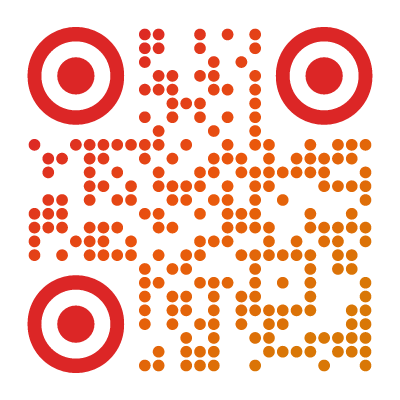
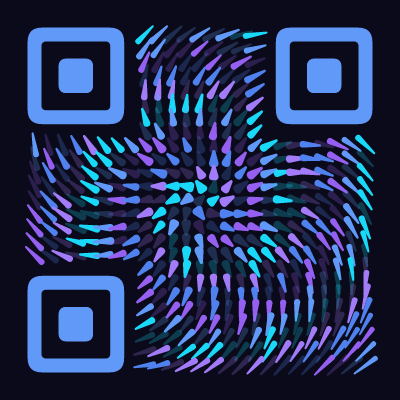
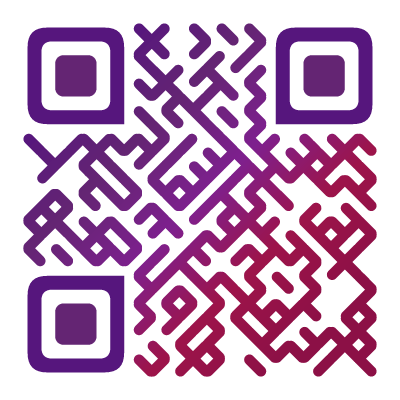
Turn a Plain QR Code Into Any of These
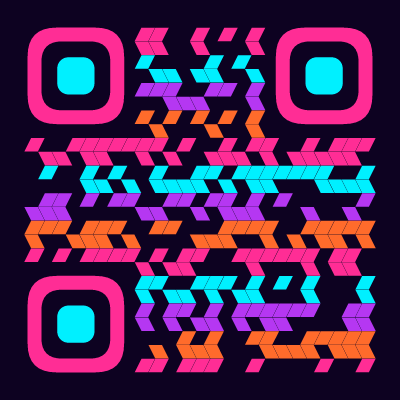
Import your code, then pick from 60+ styles — these are just a few
What It Means to Redesign a QR Code
You already have a QR code — from a point-of-sale system, a supplier, a link-in-bio page, or a generator you used months ago. It works, but it looks like every other QR code: a plain black-and-white square that clashes with your branding.
Redesigning a QR code means keeping exactly what it encodes while completely changing how it looks. You import the existing code, the designer reads the content out of the image, and then you restyle it — new colors, a different pattern, rounded corners, a logo in the middle. The output is a fresh, on-brand QR code that still does exactly what the original did.
You are not generating a new code from scratch and hoping it matches. You are taking the one you already use and giving it a new look.
How to Redesign an Existing QR Code
The workflow takes under a minute:
-
Open the designer and switch to import mode. Choose “Redesign your QR code” — the import surface with a drop zone.
-
Add your existing code. Drop in or select an image of the QR code: a PNG, JPG, WebP, or SVG. A screenshot or a phone photo of a printed code works too.
-
Let it decode. The designer reads the content directly from the image, in your browser. Nothing is uploaded.
-
Restyle it. Pick one of 60+ presets and styles, change the colors, swap the module and finder-corner shapes, add a background or gradient, and drop in your logo.
-
Preview. The live preview shows your redesigned code. Confirm it still scans cleanly — the designer keeps enough contrast and error correction, but it is worth a quick test scan.
-
Download. Export as SVG for print or PNG for digital use.
Everything runs locally. The picture you upload — and the content inside it — stays on your device.
What You Can Change
Redesigning gives you the full designer on top of your existing content:
- Colors. Recolor the modules, set a custom background, or apply a gradient. Match your brand palette exactly.
- Module pattern. Swap the plain squares for dots, rounded shapes, or one of dozens of artistic module styles.
- Finder corners. Reshape the three corner “eyes” — rounded, circular, or styled to match the body.
- Logo. Drop your logo into the center. Error correction keeps the code scannable around it.
- Background. Make it transparent to sit on a photo or colored surface, or give it a solid backdrop.
- Format. Export as a crisp vector (SVG) for large-format print, or a PNG at whatever resolution you need.
The one thing you cannot change is the content — that is intentional. The redesign is purely visual.
Want to go beyond a restyle? A boring static square can even become an animated QR code.
When You’d Redesign a QR Code
You Inherited a Plain Code
A payment terminal, a delivery service, a booking tool, or a vendor handed you a QR code you now have to print. It works, but it is an ugly default square. Import it and restyle it to match your materials before it goes to print.
Brand Matching
You have a QR code but it does not match your brand. Recolor it to your palette, add your logo, and pick a module style that fits your visual identity — so the code looks like it belongs on your packaging, menu, or flyer. Following your brand guidelines and style guide on every touchpoint — the QR code included — builds brand awareness and makes your materials instantly recognizable.
Upgrading an Old Code
You generated a QR code a while ago with a basic tool and it looks dated. Rather than track down the original data and start over, import the code you already have in print and give it a modern look.
Adding a Logo to a Code Already in Use
Your existing code has no logo. Import it, drop your logo in the center, and re-export — same content, now recognizably yours. A logo also builds trust: a branded code looks legitimate, so people are more comfortable scanning it than a generic black-and-white square that could lead anywhere.
Design Consistency Across Materials
You are placing the same code on a poster, a business card, and a website. Redesign it once with a consistent style so every placement looks intentional rather than pasted-in.
Refreshing Marketing Collateral
A seasonal campaign or a rebrand means everything needs a new look — including the QR codes already on your assets. Restyle them to fit the new direction without changing where they lead.
Making a Client’s Code On-Brand
Agencies and designers often receive a bare QR code from a client and need it to fit a layout. Import it, style it to the design system, and hand back a code that fits the artwork.
Does the Redesigned Code Still Work?
Yes — with one thing to keep in mind.
The redesigned code encodes the exact same content as the original. If the old code opened a website, the new one opens the same website. If it held contact details, WiFi credentials, or plain text, the new one holds the identical data. Nothing about the destination changes.
What the redesign affects is scannability — the physical readability of the pattern. A well-styled code with good contrast and sensible error correction scans just as reliably as a plain one. But push it too far — near-invisible contrast, a logo covering half the modules — and some scanners may struggle. That is why the designer shows a live preview: check it, and do a quick test scan with your phone before printing a thousand copies.
Can You Fix or Change the Link Inside a QR Code?
A common assumption is that you can open a QR code and edit it — fix a typo in the URL, point it somewhere new, or repair a broken link. It is worth being clear: redesigning does not change what a QR code contains. The import reads the existing content and re-encodes it exactly — the look changes, the data does not.
So if the link inside your code is wrong or out of date, restyling it will not fix it. You have two options:
- Create a new QR code with the corrected link or data, then style it however you like. For a static code, the content is baked into the pattern, so a correction always means a fresh code.
- Use a dynamic QR code if you need the destination to change later without reprinting. A dynamic code points to a short redirect URL you can edit any time, while the printed pattern stays the same — the right choice when the target isn’t final.
Redesign is for the look. Fixing or changing the destination is a separate job — this page is about the makeover, not editing the data.
Your QR Code Never Leaves Your Browser
The import is fully client-side. When you drop in an image, the decoding happens on your device using your browser — the file is never sent anywhere. This matters because a QR code can contain sensitive information: an internal URL, contact details, WiFi credentials, a payment link. None of it is uploaded, stored, or logged.
Most “edit a QR code” tools online require you to upload the image to their server. Ours does not — there is no server in the loop at all.
Works With Any Kind of QR Code
Redesign is not just for links. The importer reads any standard QR code, whatever it holds — a URL, plain text, an email address, a phone number, an SMS, contact details (vCard), WiFi credentials, and more. Whatever your existing code encodes, you can restyle it and export it while keeping that content byte-for-byte identical.
Why This Is Free
Importing, decoding, and restyling an existing QR code is exactly the kind of thing other tools gate behind a subscription. We include all of it for free: the import, all 60+ module styles, custom colors and gradients, logos, transparent backgrounds, and SVG export. No account, no watermark, no limits.
The reason we can: your browser does the work. Decoding and rendering happen locally, so there is no server cost per code — and no reason to charge you, or to send your QR code anywhere.
Found this useful?
Share it with someone who needs it.
Frequently Asked Questions
?
Can I edit an existing QR code?
Yes. Upload an image of the QR code you already have and the designer decodes it, then lets you restyle it — new colors, a different pattern, a logo. The encoded content stays exactly the same, so it keeps doing what it did before.
?
Is the QR code editor free?
Yes, completely free. No signup, no watermark, no limit. All 60+ styles, custom colors, logos, and SVG export are included.
?
Will my redesigned QR code still work?
The redesigned code encodes the exact same content as the original, so it points to the same place / shows the same information. Scannability depends on the new design, though — very low contrast or an oversized logo can hurt it, so check the live preview before you download.
?
Can I edit a QR code to fix or change the link?
No — and this is a common misunderstanding. Redesigning changes only the appearance, never the encoded content. A static QR code has its data baked into the pattern, so you cannot fix a typo in the link or point it somewhere new by restyling it. If the destination is wrong or out of date, create a new QR code with the corrected data. If you need the target to change later without reprinting, that is what a dynamic QR code is for — it points to an editable redirect while the printed pattern stays the same.
?
Do I need the original data, or just the image?
Just the image. You do not need to know the URL or text inside the code — the designer reads it straight from the picture. A screenshot, photo, or exported file all work.
?
Is my QR code uploaded to a server?
No. The image is decoded entirely in your browser and nothing is uploaded. The QR code — and whatever it contains — never leaves your device.
?
Can I add a logo or change the colors of an existing QR code?
Yes — that is the point. After importing, you can recolor it, swap the module and corner styles, add a background or gradient, and drop your logo in the center.
?
Do QR codes expire?
No. These are static QR codes — the content is baked into the pattern. They never expire and there is no tracking or account behind them.
Give Your QR Code a Makeover?
Import your existing QR code and restyle it — 60+ styles, free SVG export, no signup.
Redesign Your QR Code →