
QR Code API
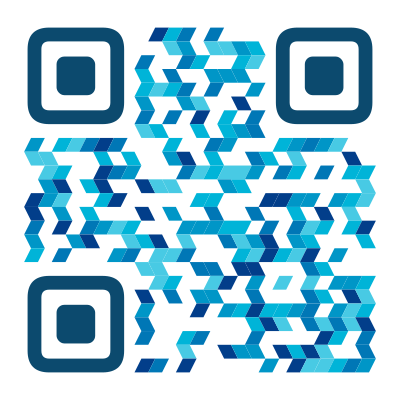
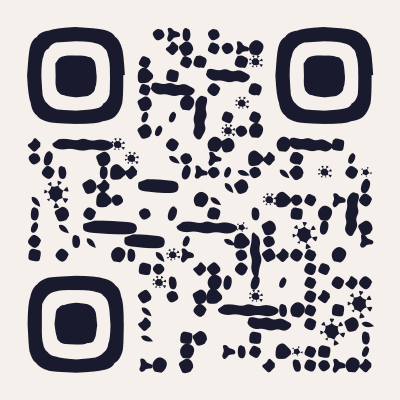
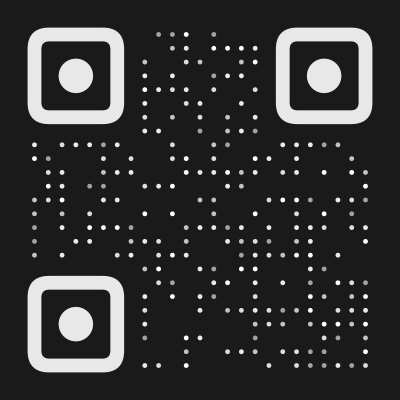
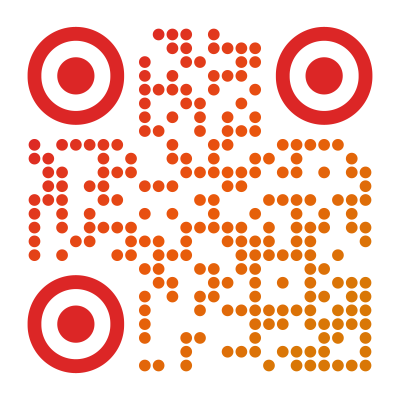
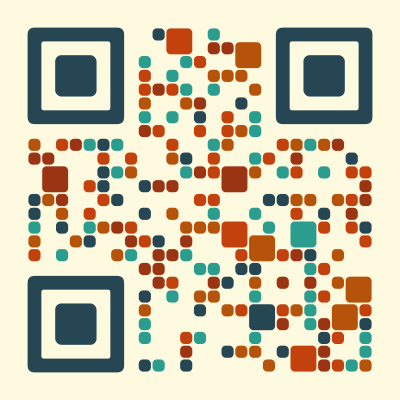
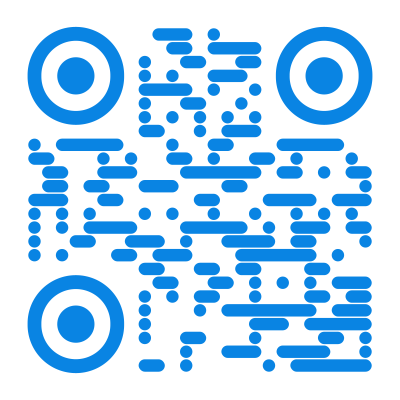
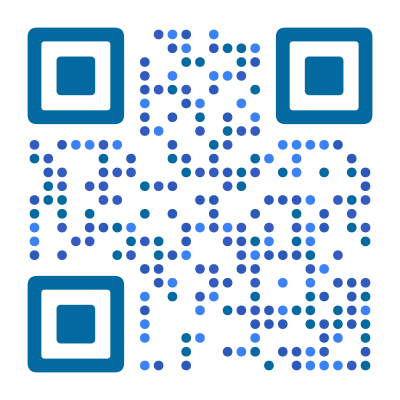
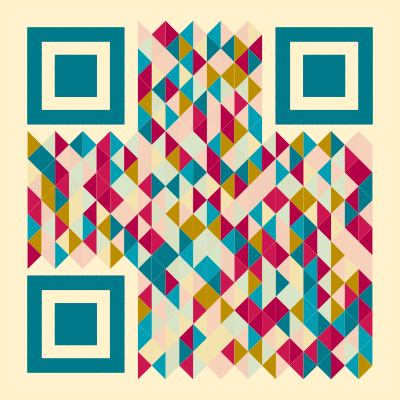
Generate designed QR codes from your own code. One REST call returns SVG or PNG, using the same render engine as the QRocodile generator.
What It Does
You send content and an optional design, and the response body is the finished image. There is no browser to run, no QR library to bundle, and no watermark. The API uses the same render engine as the QRocodile generator, so a design you build visually renders identically when you automate it.
Because it is plain HTTP with a bearer token, it works from any backend and from the HTTP node in automation platforms such as n8n, Zapier, Make, or KNIME. Typical jobs are bulk runs over a product or ticket list, QR codes on invoices and shipping labels generated server-side, and print workflows that need vector output at a fixed style.
We render, but we do not store. The content you encode is never written to a database. We keep only request metadata: the API key, the timestamp, the format and the size. Those are the values abuse protection and usage counting need.
What You Get
Every Style from the Generator
Every module and finder style from the generator is available by ID, along with the presets, palettes, and gradients. Build the QR code you want in the generator and copy its JSON — every ID it uses is in there.
SVG and PNG
SVG is vector and suits print, while PNG can be requested at any size from 64 to 4,096 pixels. The two differ by a single parameter on an otherwise identical request.
Your Own Logo
Use one of the built-in logos, or send your own PNG, JPEG, or SVG as Base64. Error correction adapts so the QR code still scans.
Scan-Safe by Default
Color combinations with too little contrast are adjusted automatically, so a QR code that looks good still scans.
Deterministic Output
The same request always returns the same bytes, which makes retries safe and repeats cheap on your side.
Quickstart
- 1
Get an API Key
Enter your email below and confirm the address. The API key is shown exactly once, so copy it and keep it somewhere safe.
- 2
Call the Endpoint
Send your content and an optional design, with the API key as a bearer token.
- 3
Use the Image
The response body is the image itself, either SVG text or PNG bytes. Write it to a file, stream it onward, or store it wherever you serve assets from.
Authentication
Every render request carries an API key as a bearer token. API keys are free and tied to an email address. You get yours from the form further down this page.
Authorization: Bearer qk_live_…The API key is shown exactly once, when you confirm the code, because we store only a hash of it and cannot recover the original. Keep it private: it identifies your usage, and anyone who holds it can spend your quota.
If you lose the API key, register the same address again. Confirming the new code issues a fresh API key and revokes the old one, and your previous one keeps working right up until you confirm.
Endpoints
The base URL and the version prefix are stable. The design config is versioned along with them and only ever grows, so new fields will not break an existing integration.
https://api.qrocodile.io
| Endpoint | Description |
|---|---|
| GET /v1/qr | Render a QR code from a content string and an optional preset |
| POST /v1/qr | Render a QR code from a content string and a full design config |
- Description
- Render a QR code from a content string and an optional preset
- Description
- Render a QR code from a content string and a full design config
Simple Render
GET /v1/qrUse this when the whole request fits in a URL. It returns the image bytes directly.
Query Parameters
| Parameter | Type | Default | Description |
|---|---|---|---|
| content * | string | — | The string to encode, exactly as given |
| format | enum (svg | png) | svg | Output format |
| preset | enum (86 presets) | — | One of the preset IDs listed below |
| size | integer (64–4096) | 1024 | Pixel size for PNG output |
| margin | integer (0–20) | — | Quiet zone, in modules |
| dark | string (hex color) | — | Module color, as hex |
| bg | string (hex color) | — | Background color, as hex |
- Type
- string
- Default
- —
- Description
- The string to encode, exactly as given
- Type
- enum (svg | png)
- Default
- svg
- Description
- Output format
- Type
- enum (86 presets)
- Default
- —
- Description
- One of the preset IDs listed below
- Type
- integer (64–4096)
- Default
- 1024
- Description
- Pixel size for PNG output
- Type
- integer (0–20)
- Default
- —
- Description
- Quiet zone, in modules
- Type
- string (hex color)
- Default
- —
- Description
- Module color, as hex
- Type
- string (hex color)
- Default
- —
- Description
- Background color, as hex
* required — everything else is optional
Presets
A preset is the quickest way to a fully designed QR code: send its ID as preset — the styles and colors come with it. Pick an ID from the list below.
Anything beyond a preset needs the full design config, which does not fit in a query string — see Full Design below.
Full Design
POST /v1/qrThe response is the same, but the input is richer: a JSON body carrying the content plus a full design config. That config is the same object the QRocodile generator produces, so anything you can build visually can be requested here.
| Field | Type | Default | Description |
|---|---|---|---|
| content * | string | — | The string to encode, exactly as given |
| design | QrDesignConfig | {} | Preset, colors, module and finder styles, logo and halo. Copy it from the generator’s “Copy JSON” button, which produces exactly this object. |
| format | enum (svg | png) | svg | Output format |
| size | integer (64–4096) | 1024 | Pixel size for PNG output |
| fixContrast | boolean | true | Nudge low-contrast colors so the QR code stays scannable |
- Type
- string
- Default
- —
- Description
- The string to encode, exactly as given
- Type
- QrDesignConfig
- Default
- {}
- Description
- Preset, colors, module and finder styles, logo and halo. Copy it from the generator’s “Copy JSON” button, which produces exactly this object.
- Type
- enum (svg | png)
- Default
- svg
- Description
- Output format
- Type
- integer (64–4096)
- Default
- 1024
- Description
- Pixel size for PNG output
- Type
- boolean
- Default
- true
- Description
- Nudge low-contrast colors so the QR code stays scannable
* required — everything else is optional
Build the QR code visually in the generator. Open the encoded-content bar with the chevron at the bottom right of the preview, then choose “Copy JSON”: it gives you exactly the object this field takes. Paste it as design and the render matches what you were looking at, logo and halo included.
One field is not supported yet: animation, which the generator exports for animated output. This endpoint returns a single image, so a design carrying it is rejected with an error — remove the field to render a still.
Examples
curl -G https://api.qrocodile.io/v1/qr \
  -H "Authorization: Bearer $QR_API_KEY" \
  --data-urlencode "content=https://qrocodile.io" \
  -d "preset=ocean" -d "format=png" -d "size=512" \
  --output qr.png
const params = new URLSearchParams({
content: 'https://qrocodile.io',
preset: 'ocean',
format: 'svg',
})
const res = await fetch(`https://api.qrocodile.io/v1/qr?${params}`, {
headers: { Authorization: `Bearer ${process.env.QR_API_KEY}` },
})
if (!res.ok) throw new Error(`QR API ${res.status}`)
const svg = await res.text()import os
import requests
res = requests.get(
"https://api.qrocodile.io/v1/qr",
headers={"Authorization": f"Bearer {os.environ['QR_API_KEY']}"},
params={"content": "https://qrocodile.io", "preset": "ocean", "format": "png", "size": 512},
timeout=30,
)
res.raise_for_status()
with open("qr.png", "wb") as f:
f.write(res.content)curl -X POST https://api.qrocodile.io/v1/qr \
-H "Authorization: Bearer $QR_API_KEY" \
-H "Content-Type: application/json" \
-d '{
"content": "WIFI:T:WPA;S:Cafe Guest;P:latte123;;",
"design": {
"preset": "ocean",
"moduleColor": "#0d9488",
"moduleStyleId": "roundedSquares",
"logo": { "id": "wifi", "color": "#0d9488", "regionWidth": 0.25 }
},
"format": "png",
"size": 1024
}' \
--output wifi.pngimport { writeFile } from 'node:fs/promises'
const res = await fetch('https://api.qrocodile.io/v1/qr', {
method: 'POST',
headers: {
Authorization: `Bearer ${process.env.QR_API_KEY}`,
'Content-Type': 'application/json',
},
body: JSON.stringify({
content: 'WIFI:T:WPA;S:Cafe Guest;P:latte123;;',
design: {
preset: 'ocean',
moduleColor: '#0d9488',
moduleStyleId: 'roundedSquares',
logo: { id: 'wifi', color: '#0d9488', regionWidth: 0.25 },
},
format: 'png',
size: 1024,
}),
})
if (!res.ok) throw new Error(`QR API ${res.status}`)
await writeFile('wifi.png', Buffer.from(await res.arrayBuffer()))import os
import requests
res = requests.post(
"https://api.qrocodile.io/v1/qr",
headers={"Authorization": f"Bearer {os.environ['QR_API_KEY']}"},
json={
"content": "WIFI:T:WPA;S:Cafe Guest;P:latte123;;",
"design": {
"preset": "ocean",
"moduleColor": "#0d9488",
"moduleStyleId": "roundedSquares",
"logo": {"id": "wifi", "color": "#0d9488", "regionWidth": 0.25},
},
"format": "png",
"size": 1024,
},
timeout=30,
)
res.raise_for_status()
with open("wifi.png", "wb") as f:
f.write(res.content)import { writeFile } from 'node:fs/promises'
import { setTimeout as sleep } from 'node:timers/promises'
// One design for the whole run; only the encoded content changes.
const design = { preset: 'ocean', moduleStyleId: 'roundedSquares' }
const skus = ['SKU-001', 'SKU-002', 'SKU-003'] // … a few thousand more
for (const sku of skus) {
const res = await fetch('https://api.qrocodile.io/v1/qr', {
method: 'POST',
headers: {
Authorization: `Bearer ${process.env.QR_API_KEY}`,
'Content-Type': 'application/json',
},
body: JSON.stringify({ content: `https://myshop.com/p/${sku}`, design, format: 'svg' }),
})
if (!res.ok) throw new Error(`${sku}: QR API ${res.status}`)
// arrayBuffer, not text, so switching format to 'png' needs nothing but a new extension.
await writeFile(`out/${sku}.svg`, Buffer.from(await res.arrayBuffer()))
// The limit is 60 renders per minute per key, so one per second is a safe steady rate.
await sleep(1000)
}The API renders one QR code per request, so a bulk run is a loop in your own application. Each render is independent of the others, which means you can pace the loop to stay inside your rate limit and leave it running unattended. If you need a full print run in one go, write to us and we will raise the ceiling.
Errors
A failure never comes back as a broken image. The response is JSON with a stable machine-readable error code, and any successful response body is image bytes:
{
  "error": {
    "code": "VALIDATION_ERROR",
    "message": "body/design/preset Invalid option: expected one of \"classic\"|\"ocean\"|…"
  }
}| Status | When |
|---|---|
| 400 | The content or design failed validation, or the format is not one we support. The message names the offending field and, for an ID, lists the valid options. |
| 401 | The API key is missing, malformed, unknown, or revoked. |
| 413 | A custom logo or a requested PNG size exceeded its cap. |
| 422 | The input was valid but could not be encoded, which in practice means the content is too long to fit in a QR code. |
| 429 | You exceeded the rate limit. The response headers say when to try again. |
| 500 | A render failed on our side. That should not happen. We log the failure but deliberately not what you sent, so if you hit one, a note about the content and design is what lets us reproduce it. |
- When
- The content or design failed validation, or the format is not one we support. The message names the offending field and, for an ID, lists the valid options.
- When
- The API key is missing, malformed, unknown, or revoked.
- When
- A custom logo or a requested PNG size exceeded its cap.
- When
- The input was valid but could not be encoded, which in practice means the content is too long to fit in a QR code.
- When
- You exceeded the rate limit. The response headers say when to try again.
- When
- A render failed on our side. That should not happen. We log the failure but deliberately not what you sent, so if you hit one, a note about the content and design is what lets us reproduce it.
Rate Limits
Renders are limited to 60 requests per minute per API key. The limit is set high enough that ordinary automation never reaches it, and low enough that a script stuck in a loop does. Because it counts against the API key rather than the calling IP address, the budget follows your integration wherever it runs. If you need more than that for a real workload, write to us: during the beta we raise limits by hand and we are generous about it.
Every render response carries these headers, so a loop can pace itself long before it runs into the limit:
| Header | What it means |
|---|---|
| x-ratelimit-limit | Requests allowed per minute |
| x-ratelimit-remaining | Requests left in the current minute |
| x-ratelimit-reset | Seconds until the window resets |
| retry-after | Seconds to wait, sent only with status 429 |
- What it means
- Requests allowed per minute
- What it means
- Requests left in the current minute
- What it means
- Seconds until the window resets
- What it means
- Seconds to wait, sent only with status 429
Clients & SDKs
The API is plain HTTP, so any language with an HTTP client works and the examples above are complete as they stand. A typed TypeScript client is on the way, with more languages to follow; until they land, the OpenAPI spec is the shortcut.
The full spec is served at /docs/json. Point a generator at it to get a typed client in your own language, including the design IDs as enums.
Found this useful?
Share it with someone who needs it.
Get Your API Key
One API key per email address, and it is free. Enter your address below to get yours.
Your API Key
Copy it now, because this is the only time it is shown. We store only a hash of it and cannot recover the original.
Get Started with Your API KeyWe store your email address to issue and meter the API key, and to reach you about the API. Nothing else, no newsletter. Privacy
Common Questions About the API
?
What does the API cost?
Nothing during beta. API keys exist so usage is attributable and rate-limitable, not to bill you. If paid tiers arrive later they will be about volume, and the free tier stays usable.
?
Why do I need an API key at all?
Rendering costs us CPU, so calls have to be countable and revocable. An API key also means your limits follow your integration instead of whatever IP address it happens to call from.
?
How is this different from the free generator?
Same engine, different interface. The website is for designing one QR code by hand, while the API is for producing many of them from your own systems. Design visually, then automate with the same config.
?
Can I point an <img> tag at the API from my website?
Please do not. The API key travels in an Authorization header, which an <img> tag cannot send — so referencing the URL from a page simply fails. Sending the header from JavaScript would work, and would also put the key in code every visitor can read, after which any of them could spend your quota. The API is built to be called from your own code rather than from a browser: render the QR code up front — in a build step, a script, or on your server — store the result with your other assets, and serve it from there. That is also faster for your visitors, because the image then comes from your own domain or CDN rather than from ours on every page view.
?
Why does a fetch from my browser fail with a CORS error?
Deliberately. The render endpoints do not accept the Authorization header from browser origins, which is what stops an API key ending up in frontend code. Call the render endpoints from your own code instead.
?
Is there an OpenAPI (Swagger) spec?
Yes. The machine-readable document is OpenAPI and is served at /docs/json, while the browsable reference at /docs is Swagger UI — “Swagger” is the format’s older name, which is why you will meet both. Clients & SDKs above covers generating a typed client from it.
?
Which formats can I get?
SVG and PNG. SVG is vector and best for print, and PNG can be requested at any size from 64 to 4,096 pixels. Animated output and PDF are not available yet.
?
Can I use my own logo?
Yes. Send it as Base64 PNG, JPEG, or SVG, or use one of the built-in logos. We never fetch a logo from a URL, and an uploaded SVG is sanitized before it reaches the output.
?
Do you store the content I encode?
No. The content is encoded into the image and then discarded. We log request metadata (the API key, the timestamp, the format and the size) for abuse protection and usage counting, but never the payload itself.
?
Can I use the QR codes commercially?
Yes. The generated codes are yours, with no attribution requirement and no watermark, in commercial products and print runs alike.
?
Can I encode WiFi, a vCard, or a phone number?
Yes. Those are text formats, not features: a WiFi code is the string WIFI:T:WPA;S:MyNetwork;P:secret;; and a phone code is tel:+15551234567. Build the string in your own code and send it as content — the API encodes exactly what you give it. We deliberately do not assemble those payloads for you, because that would mean inventing a field vocabulary you have to learn on top of a format you can already look up.
?
Are these dynamic QR codes?
No. The API renders static codes, which means the content lives in the pattern itself, so nothing expires and nothing depends on us staying online. Redirects you can edit after printing are a different product.